

Change Log
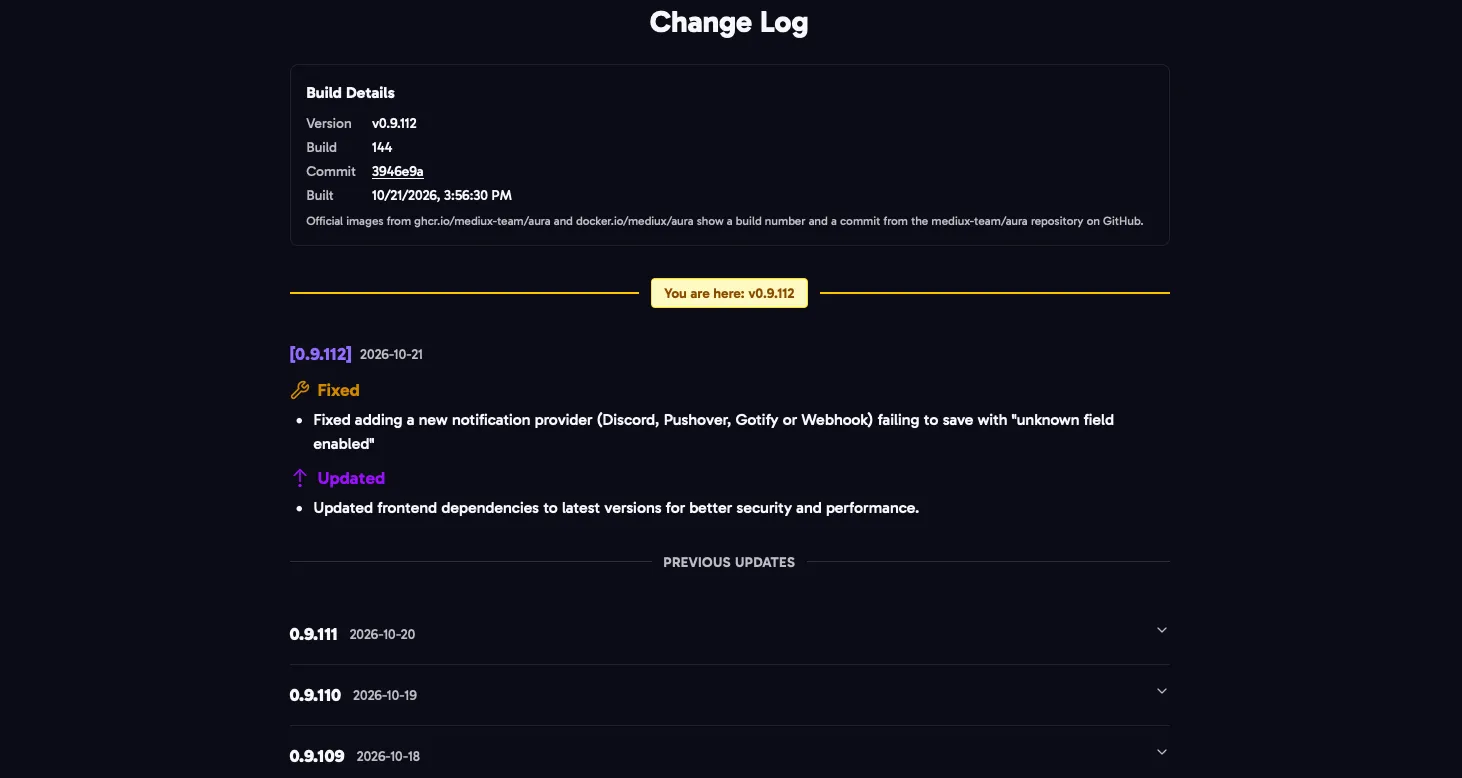
Click the version in the footer of any page to open the Change Log. It lists what changed in each version, with the version you’re running highlighted.
Build Details
Section titled “Build Details”The top of the Change Log shows exactly what you’re running:
- Version: for example
v0.9.112. - Build: the build number of the official image.
- Commit: the code the image was built from. Click it to see that commit on GitHub.
- Built: when the image was built.
Official images from ghcr.io/mediux-team/aura and docker.io/mediux/aura always show a build number and a commit from the mediux-team/aura repository. An image you build yourself says it was built without build details.
Updates
Section titled “Updates”When a newer version is out, the footer shows Update Available next to your version. Click it to see what’s changed since your version. To update, see Docker Compose.