

Images
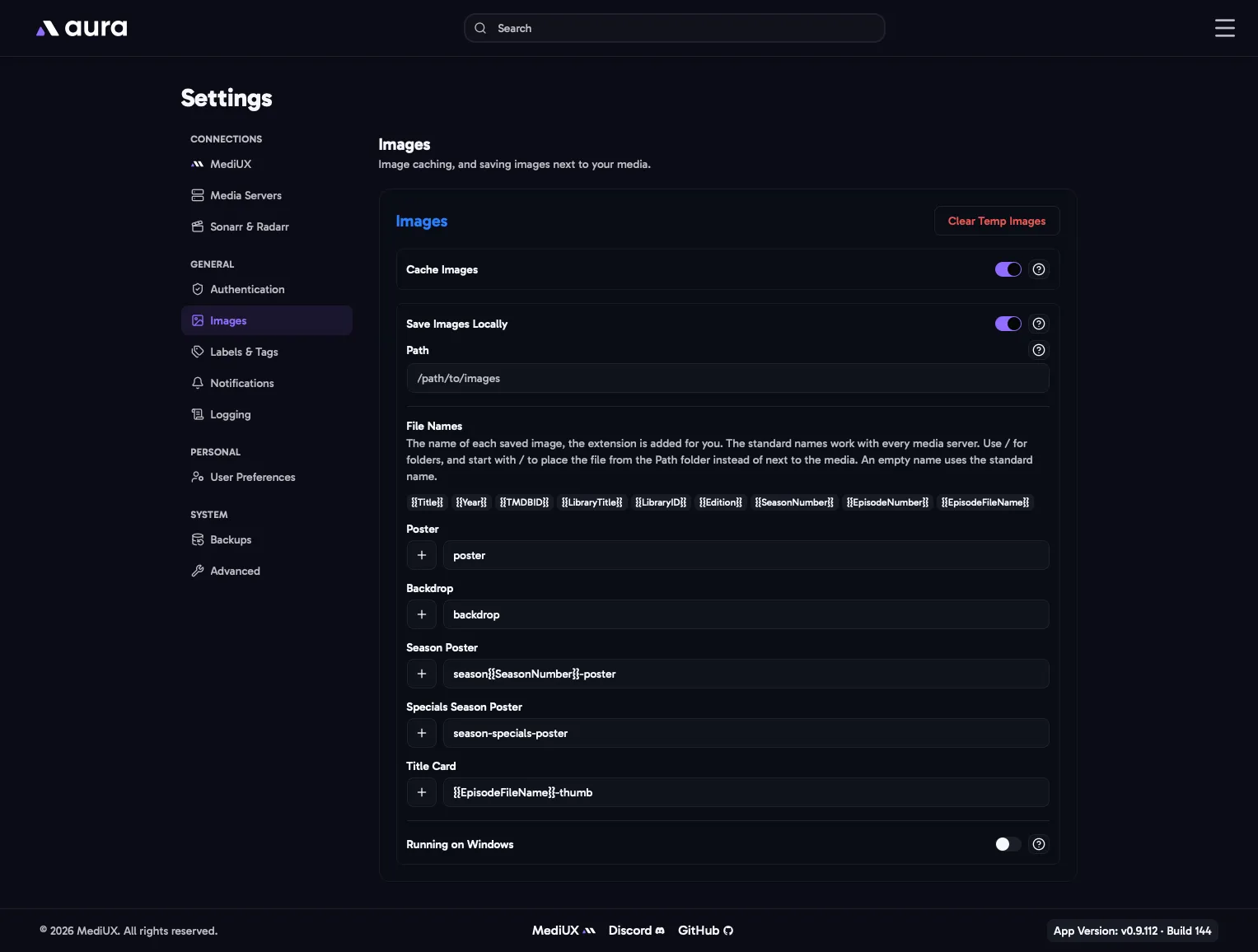
Cache Images
Section titled “Cache Images”Keeps a copy of the MediUX images aura shows and downloads in the temp-images folder inside /config. Images you’ve already seen load straight from the cache instead of from MediUX, which is faster and puts less load on MediUX. The cache takes up disk space, so it’s off by default.
Clear Temp Images deletes everything in the cache. aura downloads images again as you need them.
Save Images Locally
Section titled “Save Images Locally”Every image aura applies is always applied on your media server. With Save Images Locally on, aura also saves a copy as a file, by default next to your movie or show. If your media server’s database is ever lost or rebuilt, it picks up the saved images again, and other apps that read these files can use them too.
- It works the same for Plex, Emby, Jellyfin and Silo.
- aura must be able to reach your media folders at the same paths as your media server. See The Volumes.
- Only the main media server’s images are saved.
- Silo only reads these files when it first scans an item, so for Silo the saved copy doesn’t change what Silo shows.
Leave this empty to save images next to your media, which is what media servers expect.
Set a folder to save every image there instead, for example for another app that reads images from its own folder. Make sure the folder is mapped into the aura container and aura can write to it.
File Names
Section titled “File Names”The file name of each image type, without the extension, which aura adds for you. The standard names work with every media server, so most people never need to change them.
| Image | Standard name | Saved as, for example |
|---|---|---|
| Poster | poster |
Alien (1979)/poster.jpg |
| Backdrop | backdrop |
Alien (1979)/backdrop.jpg |
| Season Poster | season{{SeasonNumber}}-poster |
Severance/season01-poster.jpg |
| Special Season Poster | season-specials-poster |
Severance/season-specials-poster.jpg |
| Title Card | {{EpisodeFileName}}-thumb |
Severance/Season 01/Severance - S01E01-thumb.jpg |
Use the + button next to a field to add a variable:
| Variable | Value |
|---|---|
{{Title}} |
The movie or show title |
{{Year}} |
The release year |
{{TMDBID}} |
The TMDB ID |
{{LibraryTitle}} |
The library’s name on the media server |
{{LibraryID}} |
The library’s ID on the media server |
{{Edition}} |
The movie’s edition, for example Director's Cut |
{{SeasonNumber}} |
The season number, two digits |
{{EpisodeNumber}} |
The episode number, two digits |
{{EpisodeFileName}} |
The episode’s file name, without its extension |
- Use
/to save into folders. - A name that starts with
/is placed in the Path folder instead of next to the media. - An empty name, or one with an unknown variable or
.., uses the standard name.
For example, to save posters for Agregarr’s base posters, set Path to Agregarr’s folder and the poster name to:
/{{LibraryTitle}}-{{LibraryID}}/{{Title}} ({{Year}}) tmdb-{{TMDBID}}/posterRunning on Windows
Section titled “Running on Windows”Turn this on if your media server runs on Windows. Windows paths from the media server, such as C:\Movies, are then turned into paths aura can use, such as /C/Movies. Map that path into the aura container.
In the Config File
Section titled “In the Config File”Images: CacheImages: Enabled: false SaveImagesLocally: Enabled: false Path: "" RunningOnWindows: false NameTemplates: Poster: "poster" Backdrop: "backdrop" SeasonPoster: "season{{SeasonNumber}}-poster" SpecialSeasonPoster: "season-specials-poster" Titlecard: "{{EpisodeFileName}}-thumb"