

Settings Overview
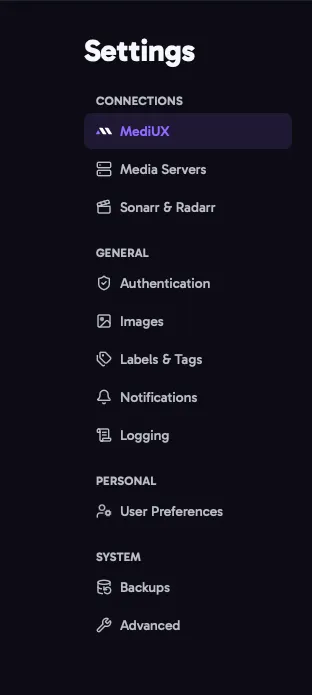
Open Settings from the menu to change how aura works. Settings are split into sections, listed on the left (or at the top on a phone).
How Settings Are Saved
Section titled “How Settings Are Saved”- Most settings save automatically, a moment after you change them. The status next to the section title shows Saving…, then Saved.
- Connection settings save with Test & Save. Changing a media server, MediUX token, Sonarr or Radarr connection or notification provider doesn’t save until you click Test & Save. aura checks that the connection works first, so a typo can’t break it.
- Fix errors to save. If a value isn’t valid, the field is highlighted and the section shows Fix the errors below to save your changes. Nothing in that section is saved until it’s fixed.
- A highlighted border shows settings you’ve changed but that aren’t saved yet.
Your settings are stored in aura’s database, so they apply to every browser and device. You can also set aura up with a config file.
Sections
Section titled “Sections”MediUXYour MediUX token and the quality of downloaded images.
Media ServersThe main media server, and any other media servers aura applies images to.
Sonarr & RadarrSonarr and Radarr instances, used for tags.
AuthenticationPassword and Single Sign-On login, and the API key for integrations.
ImagesImage caching, and saving images next to your media.
Labels & TagsLabels and tags added to or removed from items when images are applied.
NotificationsWhere aura sends notifications, and what they say.
LoggingHow much aura logs, and how long log files are kept.
User PreferencesDownload defaults, favorite creators and display options.
BackupsBackups of the database, with your settings and saved sets.
AdvancedExport and import, the debug bundle, debug mode and the app cache.